Ever walked into a business and noticed those slick digital displays cycling through menu items, promotions, or announcements? There's a good chance you've thought about getting something similar for your own space—but assumed it would be complicated, expensive, or both. The Amazon Signage Stick changes that equation entirely.
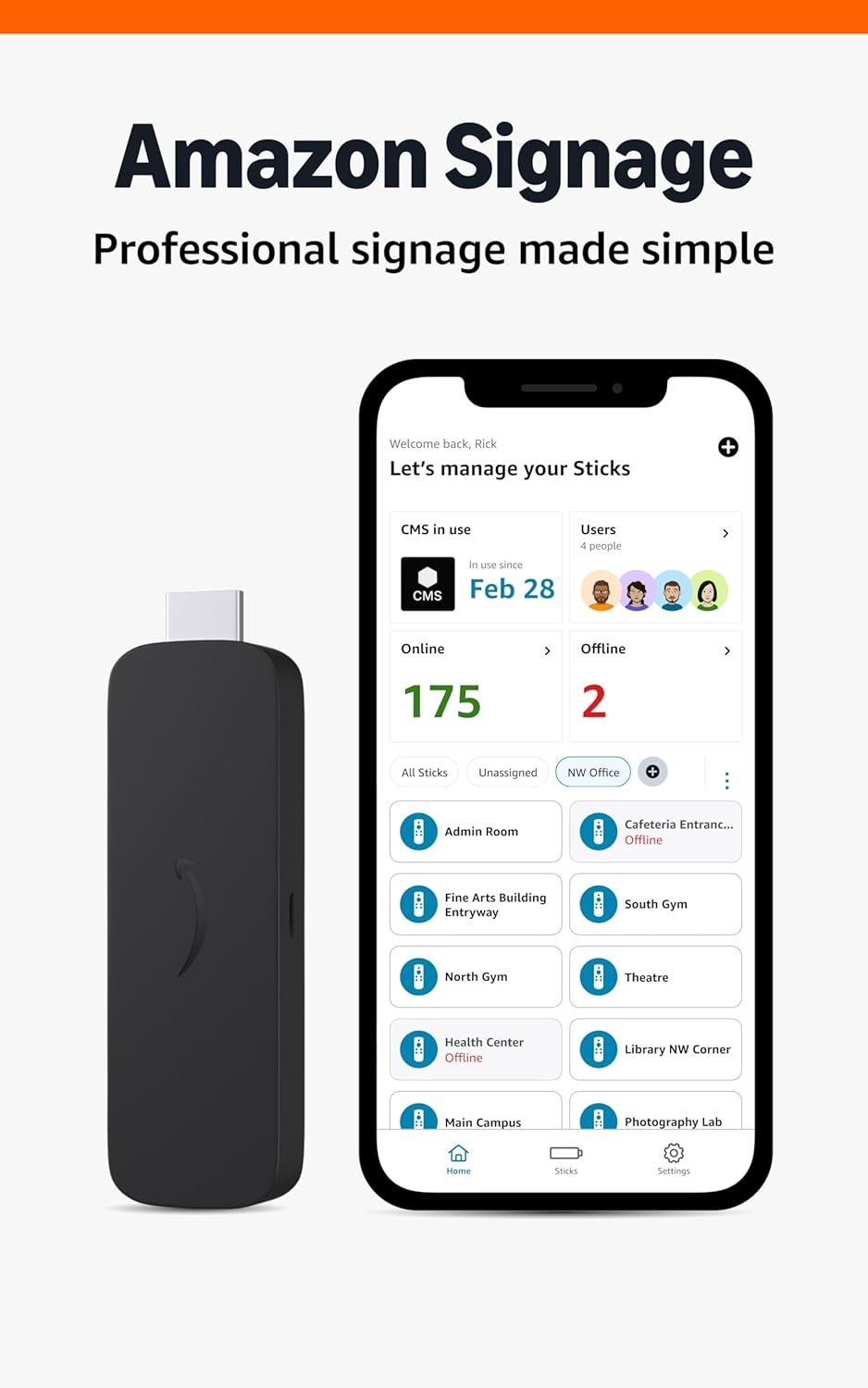
Here's the thing about most digital signage solutions: they come with learning curves that feel more like climbing mountains. This stick takes a different approach. You plug it into any HDMI port, download the free Amazon Signage app to your phone, and follow the guided setup. That's genuinely it. The app walks you through connecting to Wi-Fi, linking your content management system, and getting your first display running. Most people go from unboxing to live signage in under fifteen minutes.
The stick works with leading CMS providers, so you're not locked into some proprietary system you've never heard of. Already using a platform you like? There's a good chance it's compatible. You'll need a CMS subscription (that part's separate), but the integration is designed to be seamless rather than frustrating.
Once everything's configured, the Signage Stick launches straight into kiosk mode. Your content starts playing automatically—no navigating menus or remembering to hit "start" every morning. It's the kind of unattended operation that lets you focus on running your business instead of babysitting technology.
Security isn't an afterthought here. The device features secure boot, encrypted storage, and receives regular firmware updates. For businesses displaying pricing, internal communications, or customer-facing content, that matters. You don't want your digital menu board becoming someone's experiment in creative hacking.
The mobile app isn't just for initial setup. You can create profiles for different locations, organize displays by department or building, and monitor what's running in real-time—all from your phone. Running a restaurant with three locations? Check that all your menu boards are displaying the correct lunch specials without leaving your office. Managing displays across a corporate campus? See at a glance which screens are active and which might need attention.
Under the hood, you're getting Wi-Fi 6E connectivity, a quad-core processor, and output resolution up to 4K. Translation: your content looks sharp and plays smoothly, even when you're pushing high-resolution images or video. The compact form factor means it tucks neatly behind most displays, keeping your installation clean and professional.
Automatic CMS updates keep everything current without manual intervention. Your signage stays synchronized with any changes you make in your content management platform, and the device itself receives updates to maintain security and performance over time.