Still have that reliable old parallel printer collecting dust because your new computer doesn't have the right port? You're not alone. Many businesses and homes face this frustrating situation when upgrading to modern systems that no longer include traditional parallel ports. But there's no need to replace perfectly good equipment—this PCIe expansion card brings your legacy devices back to life.
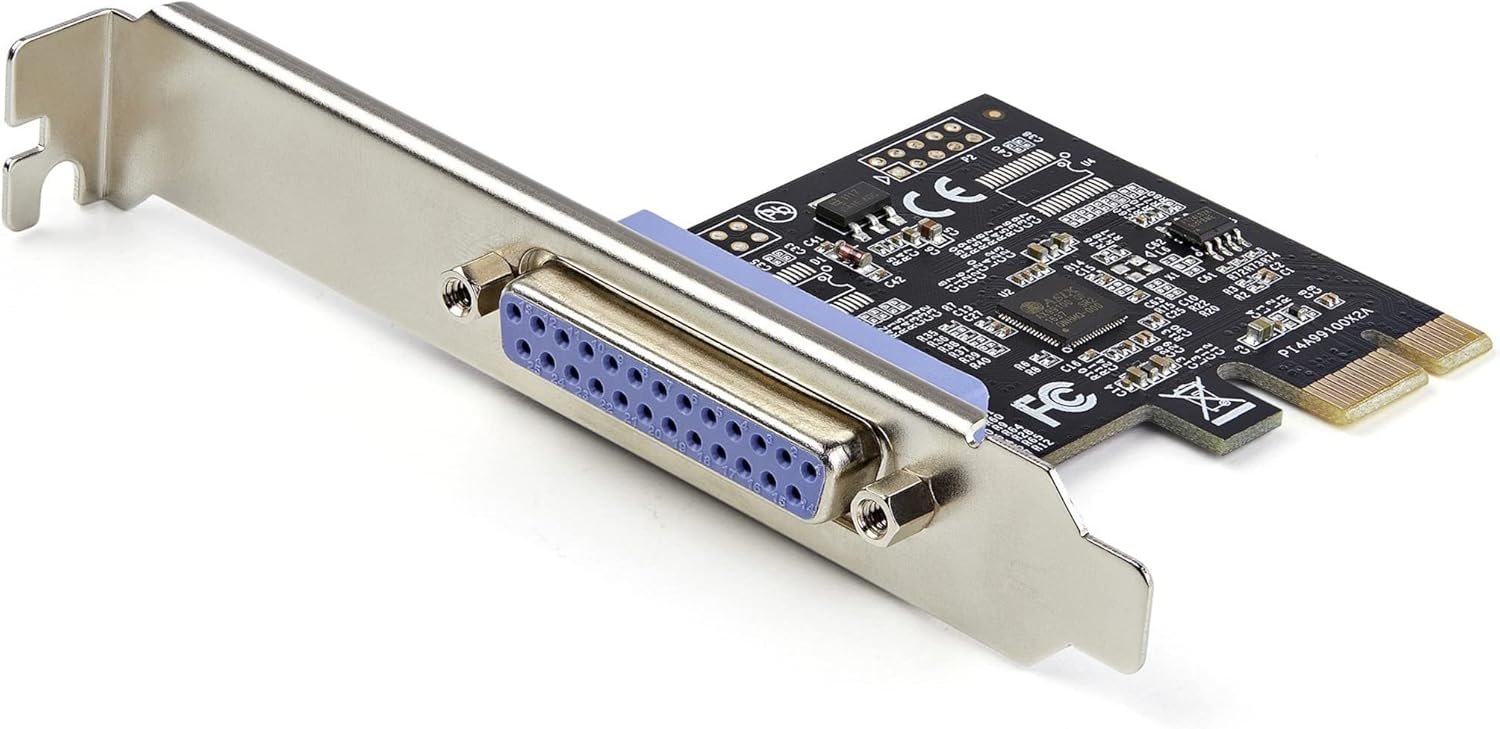
This Parallel PCIe Card Controller is designed specifically for desktop computers that need to maintain compatibility with parallel port devices. The DB25 female connector provides the classic interface your printer or other parallel equipment requires, while the PCI Express interface ensures broad compatibility with modern motherboards. Whether you're connecting a printer, scanner, or another legacy device, this card makes it simple and straightforward.
Don't let compatibility issues slow you down. This card delivers a maximum data transfer rate of 2.5 Mbps, providing solid performance for most parallel devices. The integrated port style ensures a clean installation without messy external adapters, and the card operates reliably within a temperature range of 5°C to 50°C, making it suitable for most office and home environments. At just 0.64 lbs, it's lightweight yet durable enough for continuous use.
Installation is refreshingly simple—just plug the card into an available PCIe slot on your motherboard and install the included drivers. The card is designed to work seamlessly with Windows operating systems, so you'll be up and running in minutes. By adding this expansion card, you're not just solving an immediate problem—you're protecting your investment in existing equipment and avoiding the expense and hassle of upgrading perfectly functional devices.
Whether you're running a small office with legacy equipment, managing a print shop that relies on older printers, or simply want to keep your home office setup running smoothly, this PCIe parallel port card provides the practical solution you need. It's the smart, economical way to maintain compatibility without compromising on performance.