Take your streaming audio to broadcast quality without breaking the bank. Whether you're a podcaster, gamer, or content creator, clear, professional sound makes all the difference in engaging your audience.
Good audio isn't just about having a nice microphone—it's about having complete control over your sound. Background noise, inconsistent volume levels, and technical limitations can ruin even the best content. That's where the FIFINE Gaming Audio Mixer comes in, giving you the professional tools you need to sound like you're in a proper studio.
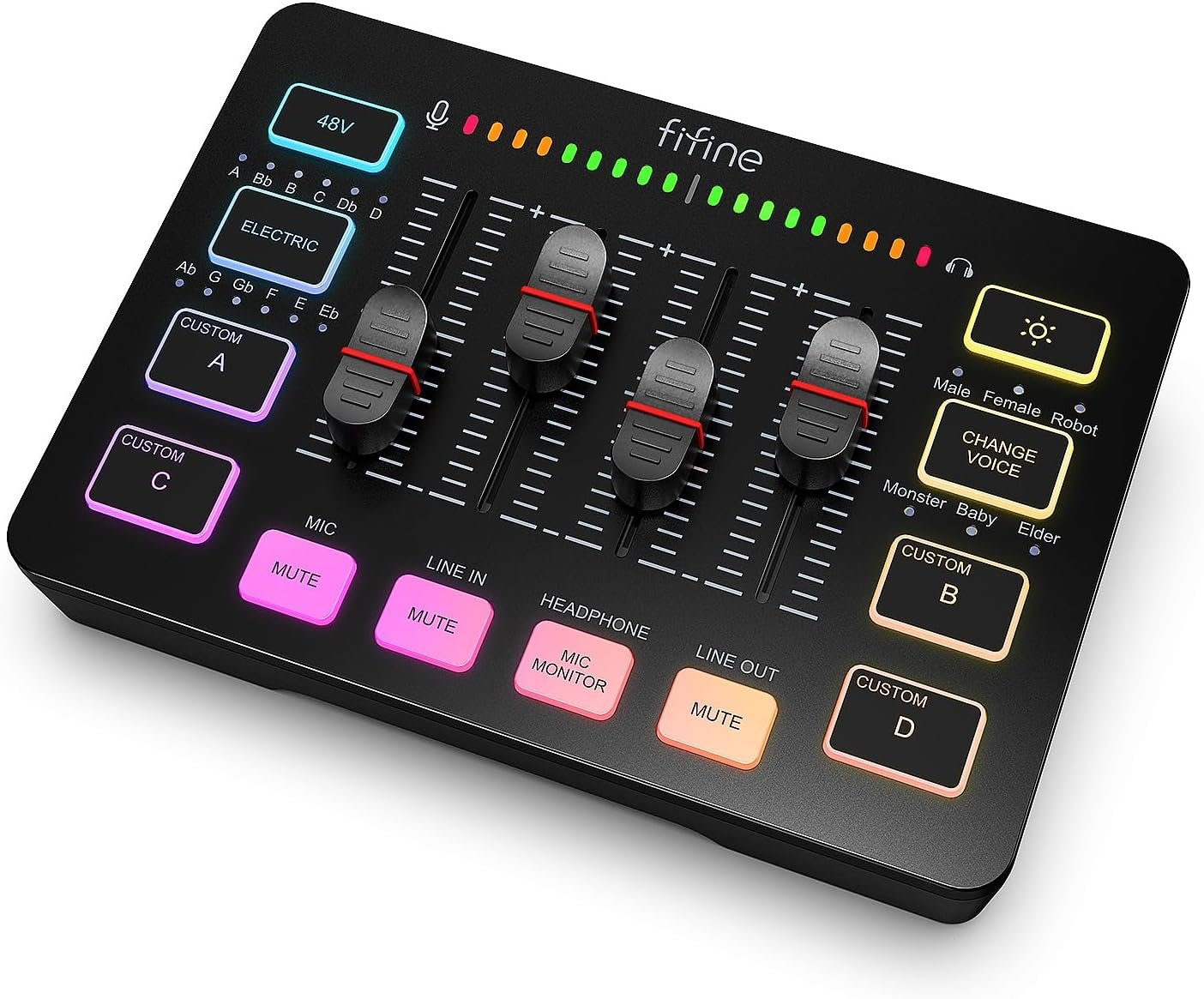
This mixer packs serious functionality into an intuitive interface. The XLR microphone input with 48V phantom power means you can use professional condenser mics right out of the box. Four independent channels give you granular control over microphone input, line-in signals, headphone monitoring, and line output—no more adjusting settings within your streaming software.
The front-mounted mute and monitor buttons make it easy to quickly silence background noise or check your audio levels without interrupting your broadcast. The sturdy construction means you can focus on your content instead of worrying about equipment failure.
What really sets this mixer apart is its built-in sound effects. Four customizable buttons let you record and trigger your own effects on the fly, while six voice changing modes and 12 auto-tune options give you endless creative possibilities. Your audience will love the professional polish that these effects add to your streams.
The controllable RGB lighting isn't just for show—choose from flowing or static effects that complement your streaming theme. The vibrant yet eye-friendly lighting creates a professional "light show" effect that enhances your production value without being distracting.
Setting up is straightforward with plug-and-play compatibility for both Mac and Windows. The mixer works perfectly with popular platforms like OBS, Twitch, YouTube, and TikTok. With two input interfaces (Mic and Line in) and two output interfaces (Headphones and Line out), you can easily integrate it into any existing setup.
Just add the USB-C to USB-A/C cable for computer connection and a 3.5mm cable for connecting other audio devices. For best results, use shielded XLR cables to maintain pristine audio quality.
Whether you're recording podcasts, gaming with friends, or creating content for social media, this mixer gives you the professional audio control that elevates your production quality.